
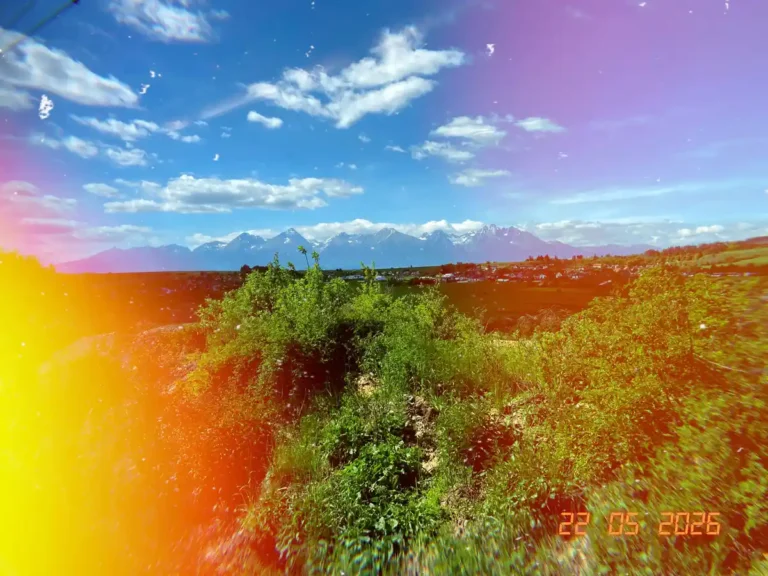
If you are searching for one of the best vintage photo filter apps with a realistic analog feel, Dazz Cam is probably the strongest choice right now. Unlike many retro filter apps that simply add grain or faded colors, Dazz Cam recreates the look of actual film cameras, disposable cameras, VHS camcorders, and early digital photography.
After testing the Dazz Cam app for my own photography and reviewing it in more detail, I found that its biggest strength is how immersive the experience feels. Different camera presets behave differently, with their own exposure quirks, light leaks, timestamps, grain structure, and color rendering. The app also includes video modes, Polaroid-inspired effects, fish-eye lenses, and even 3D photography features.
Dazz Cam especially stands out for creators who want cinematic film aesthetics for fashion photography, travel photography, lifestyle content, or nostalgic social media visuals. Many users online also praise how close some presets come to authentic analog photography compared to standard mobile editing apps.

Pros
- Realistic film grain and light leaks
- Huge variety of camera simulations
- Strong cinematic and analog aesthetic
- Great for fashion, travel, and lifestyle photography
- Includes retro video modes and 3D effects
- In-app storage and backup with export option
- You can shoot and keep also original photos
- Allows saving location
- Online community
- Allow import
- Filter images in app based on camera
- Timer and selfie front camera
Cons
- Many of the best presets require premium access
- Some cameras can feel repetitive
- Slightly higher battery drain during use
- Learning curve compared to simpler apps
- Some cameras only work on the newews iPhones
- Only for iOS

Among the best vintage photo filter apps, HUJI Cam remains one of the most recognizable choices for recreating the chaotic charm of disposable film photography. The app fully embraces a late-90s and early-2000s aesthetic, turning your smartphone into a simplified disposable camera complete with a tiny viewfinder, timestamp overlays, random light leaks, and unpredictable flash behavior. Instead of giving users endless editing tools, HUJI Cam focuses on spontaneity and imperfection.
What makes the app especially fun is how inconsistent and unpredictable the results can feel. Particularly when using flash in darker environments. Some photos develop intense neon light leaks, warm color shifts, or overexposed highlights that genuinely resemble old disposable film scans.
At the same time, the experience can feel limiting compared to newer vintage camera apps. By default, Huji Cam opens with a very small built-in viewfinder, which may feel awkward on larger modern smartphones. However, there is an option to switch to full-screen mode through the settings, making composition much more comfortable.
The app also supports a front camera and includes a simple timer, making selfies easier than they initially appear.
Still, compared to more advanced retro camera apps, Huji Cam keeps things intentionally minimal and focused on recreating the unpredictability of disposable film photography rather than offering extensive creative controls.
If your goal is casual nostalgia rather than perfect control, HUJI Cam is easily one of the most iconic retro photography apps available today.

Pros
- Authentic disposable camera aesthetic
- Unpredictable flash and light leak effects
- Iconic timestamp overlays
- Extremely simple and fun to use
- Great for party, nightlife, and casual travel photos
Cons
- Tiny viewfinder can feel uncomfortable on modern phones
- No video mode
- No self-timer for self-portraits
- Very limited manual controls
- Less flexible than newer film simulation apps

NOMO Cam stands out among the best vintage photo filter apps by focusing on a full analog-style shooting experience rather than simple filters. Each camera inside the app is designed to mimic a different film or instant camera, complete with its own interface and shooting behavior.
NOMO Cam also supports features like double exposure and selfie mode, while some camera packs can be purchased individually at low one-time prices. The app is available on both iOS and Android, making it more accessible than many competitors.
However, the interface can feel confusing at first because each camera behaves differently, and there is very little manual editing or post-processing control. Some advanced features and camera packs are also locked behind paid upgrades or a higher subscription plan.

Pros
- Authentic analog camera experience
- Realistic film development effect
- Unique camera-based interfaces
- Supports Android and iOS
- Some affordable one-time camera purchases
Cons
- Confusing interface at the beginning
- Limited editing options
- Some features locked behind paywalls
- No deep control over image adjustments
- AppleRaw only for paid users
- No video option
- No timer

1998 Cam fits well into the best vintage photo filter apps category for users who want a mix of retro aesthetics and full creative control. Instead of focusing on realistic camera emulation, it leans more into a modern editing workflow with a strong Y2K and late-90s visual style, including grain, dust, light leaks, and contrast-heavy tones.
Unlike more rigid camera simulators, 1998 Cam gives users a flexible shooting and editing system. You can choose a filter before taking a photo, preview it live, and then fine-tune the intensity of effects like grain, blur, and color tones afterward. It also supports basic shooting tools such as timer, flash, selfie mode, and photo import, making it feel closer to a hybrid between a camera app and a photo editor. Video support is available, but it is limited to paid users.
The main downside is pricing, which is noticeably higher than many competitors. The lifetime option is relatively expensive compared to similar apps, and some features that feel essential for creators are locked behind subscriptions or premium unlocks.


Pros
- Strong Y2K and late-90s aesthetic
- Live filter preview before shooting
- Advanced post-editing controls
- Supports photo import and video (paid)
- Flexible hybrid camera + editor workflow
Cons
- Expensive lifetime and subscription pricing
- Video features locked behind paywall
- Less “authentic camera” feel than other apps
- Some features feel gated for casual users

OldRoll is one of the more polished options among the best vintage photo filter apps, often described as a “camera museum in your pocket.” Instead of simple filters, it recreates the look and feel of iconic film and analog cameras, including styles inspired by Leica M6, Hasselblad 503CW, and classic toy cameras with soft pink and dreamy tones. Each camera has its own distinct rendering style, making the experience closer to switching between real physical cameras than using a standard editing app.
During use, OldRoll applies film-like textures, scratches, light leaks, and cinematic shadows automatically, with no need for post-editing. But if you want, you can import your own photos and edit them separately. Users can also switch between a more basic interface or a camera-specific UI that mimics the original device, which adds to the immersive feel but can sometimes make navigation slightly inconsistent. Compared to similar apps like Dazz Cam, OldRoll leans more into camera replication, customization and photo editing rather than purely cinematic presets.
The app also includes extra settings such as timestamp options, lens variations, sample previews for each camera, and even retouch tools, although many advanced features and cameras are locked behind paid packs. Ads may also appear occasionally, especially when saving photos, which can interrupt the workflow slightly.

Pros
- Realistic emulation of iconic film cameras
- Wide variety of camera styles and textures
- Immersive camera-specific interfaces
- Additional editing and retouch tools
- Sample previews and lens customization
- Video and live photo support and editing
Cons
- Many cameras and lenses are paid
- Occasional ads (e.g. during saving)
- Navigation can feel inconsistent between cameras
- Timer and some tools are hidden in settings
- Less straightforward than simpler filter apps

While many of the best vintage photo filter apps focus on analog film aesthetics, ProCCD recreates the completely different vibe of early 2000s digital cameras. The app specializes in the nostalgic CCD digicam look, including softer details, faded colors, direct flash aesthetics, and the slightly imperfect texture typical of old compact digital cameras from the Y2K era.
One of the first things that stands out is the interface itself, which changes depending on the selected camera model and strongly leans into the Y2K aesthetic. Different cameras come with their own layouts and controls, making the experience feel immersive, although slightly overwhelming during the first few uses. Thankfully, the app includes an accessible user guide that helps new users understand the controls more quickly.
Compared to simpler retro apps, ProCCD offers a more modern feature set, including video support, Live Photos, beauty retouching tools, and face adjustments. The app feels especially suitable for creators who want to produce both photo and video content with a nostalgic digital-camera style. During testing, the image quality and overall retro rendering felt surprisingly convincing, particularly for portraits and direct-flash photography.
Another advantage is pricing, which is noticeably more affordable than some competing apps. However, features like Live Photo processing can occasionally feel slow due to longer rendering times.

Pros
- Excellent Y2K digicam aesthetic
- Strong photo and video support
- Beauty retouching and face adjustment tools
- Immersive camera-inspired interfaces
- Affordable pricing compared to competitors
Cons
- Interface can feel overwhelming at first
- Different camera layouts require adjustment
- Live Photo processing can be slow
- Less suitable for realistic analog film aesthetics

FIMO belongs among the best vintage photo filter apps for users who want a more “authentic analog” experience rather than a modern editing tool. The app mimics classic film camera workflow, complete with a skeuomorphic interface that feels like you are shooting with an old analog camera. You can switch between different 35mm film rolls.
Compared to more flexible apps like 1998 Cam or Dazz Cam, FIMO is much more restrictive in a deliberate way. There are very few post-editing options, and the final look is mostly defined at the moment of capture. The interface itself remains consistent and “analog-like,” with basic controls such as timer, flash, selfie mode, and limited shooting adjustments. Video capture exists, but it is locked behind a paid version.
One of the biggest drawbacks is pricing. FIMO is significantly more expensive than many competitors, especially for users who want full access. The subscription is relatively high, and the lifetime purchase is also on the expensive side compared to similar retro camera apps. Free users only get access to a small selection of film rolls, which limits experimentation.

Pros
- Strong cinematic film emulation and grain quality
- Authentic analog-style camera interface
- Different film rolls with unique moods
- Simple, distraction-free shooting experience
- Great for storytelling and cinematic photography
- Timer and video support
Cons
- High price compared to similar apps
- Video features locked behind paywall
- Very limited editing or post-processing options
- Only a few free film rolls available
- Less flexible than hybrid camera/editor apps

Lomograph feels less like a traditional photo editor and more like a playful experimental tool. It is suitable for creators who enjoy unpredictable analog aesthetics or lean more towards abstract photography. Inspired by classic lomography photography, the app focuses on creative imperfections, dreamy color shifts, lo-fi textures, and spontaneous results rather than realistic film simulation.
One of the most interesting features is the ability to adjust the intensity and behavior of filters simply by moving your finger across the screen. This makes the editing process feel more interactive and experimental compared to many standard vintage camera apps.
The app includes around 10 free filters, with additional collections available through affordable one-time purchases. Instead of forcing users into expensive subscriptions, Lomograph allows creators to unlock either the full app or individual filter packs separately.
The app does not include more complex tools like double exposure, fish-eye lenses, 3D photography, or ND-style effects, or video options. The free version also contains ads, which can occasionally interrupt the creative flow.

Pros
- Fun and unpredictable analog-style effects
- Interactive filter adjustments
- Affordable one-time purchases
- Great for artistic and experimental photography
- Beginner-friendly interface
- You can import photos
Cons
- Ads in the free version
- Limited advanced camera effects
- Smaller filter library compared to larger apps
- No video option
- No timer for self-portraits


Tok Cam is one of the most underrated options among the best vintage photo filter apps. What makes Tok Cam stand out is the balance between simplicity and creative control. Users can shoot both photos and live photo videos with different camera simulations, experiment with effects like double exposure or fish-eye lenses, and even customize selfies with beauty filters and voice-triggered shooting. The app also explains the inspiration behind many of its camera presets, making the experience feel more curated and beginner-friendly.
Compared to many subscription-based competitors, Tok Cam also feels surprisingly affordable thanks to its low one-time payment option and individually purchasable cameras. While the app still has a relatively small community and does not receive as much attention as apps like or , it offers a surprisingly polished retro photography experience for the price. It also delivers some genuinely cool and atmospheric photo results.

Pros
- Affordable one-time purchase option
- Soft and cozy retro aesthetics
- Supports photo and live photo video shooting
- Creative effects like double exposure and fish-eye lenses
- Beginner-friendly camera descriptions
- Support selfie-mode and includes timer
- Voice-trigger for shooting
Cons
- Smaller community and less online coverage
- Some advanced features feel experimental
- Some menus can be difficult to navigate
- Less iconic than larger retro camera apps
- Live photos sometimes make the app freeze or take too long to process

Kada Cam fits into the best vintage photo filter apps category as a simple but creative tool. The app allows users to work with a small selection of free filters while offering a larger set of vintage-inspired effects based on classic Kodak and Fujifilm aesthetics. It also includes additional elements like light leaks, grain, dust, color shifts, and frame overlays, which can be combined to create more personalized retro looks.
In practice, the interface is relatively minimal and easy to use, with familiar camera controls such as flash, timer, selfie mode, and grid options. The experience feels similar to other retro camera apps like Dazz Cam, although Kada Cam is more limited in terms of overall depth. Advanced customization options are somewhat hidden in the settings menu, where users can fine-tune effects like grain intensity, light leaks, and datestamps.
The free version is quite restricted, offering only a few filters and effects, while most of the creative tools are locked behind a relatively affordable subscription or one-time purchase option. Unlike some competing apps, Kada Cam does not support video recording or post-editing features, keeping the focus purely on still photography.

Pros
- Soft and dreamy vintage filter styles
- Simple and beginner-friendly interface
- Customizable light leaks and film effects
- Affordable pricing options
- Good for quick retro photography
Cons
- Very limited free filters
- No video support
- No post-editing tools
- Some settings are slightly hidden in menus
- Less powerful than more advanced retro camera apps
